
Every link, counted
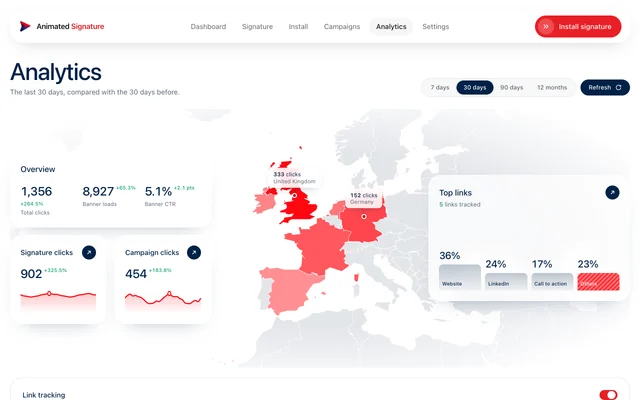
Website, socials, booking link and banner, each with its own count, so you can see which ones people use.
Analytics
See which links get clicked, which banners work and where your readers are, over a week, a month or a year. Readable in seconds, and built without watching anyone open an email.
Free for a month. No card needed.
What we count
Tracking who opened an email needs a hidden pixel, and that is a spam signal and a privacy question. A click is a choice the reader made. So that is what is counted.
Counted
Never counted
Website, socials, booking link and banner, each with its own count, so you can see which ones people use.
7, 30, 90 days or a year, each compared with the span before it.
Banner loads, clicks and click-through rate for every campaign, and by campaign type.
A world map of the countries clicks came from, phone or computer, and a heatmap of when people click.
Who uses it
The specifics
Questions
No. That would need a tracking pixel, which this product never adds. You see clicks on your signature's links and approximate banner loads.
Clicks on a campaign's banner divided by its banner loads. Because loads are approximate, treat the rate as a comparison between your own campaigns rather than an exact figure.
Yes, on your dashboard or the Analytics page. New copies of your signature then link straight to their destinations. A signature already pasted keeps its tracked links until you copy it again.
Not yet. Each person sees their own signature's figures. Shared team signatures and team reporting are planned, not built.
Every link is counted from the first email you send.