


















Try Animated Signature free for 1 monthNo credit card required
Animated Signature
Get startedLog in

Free for a month. No card needed.

Everything your signature can do.

Your photo in motion, a banner with something to say, your brand in every detail and a count of what got clicked. All of it in the few hundred pixels at the end of every email you send.

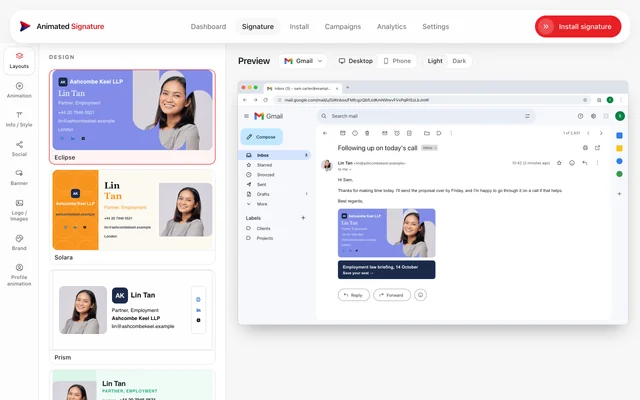
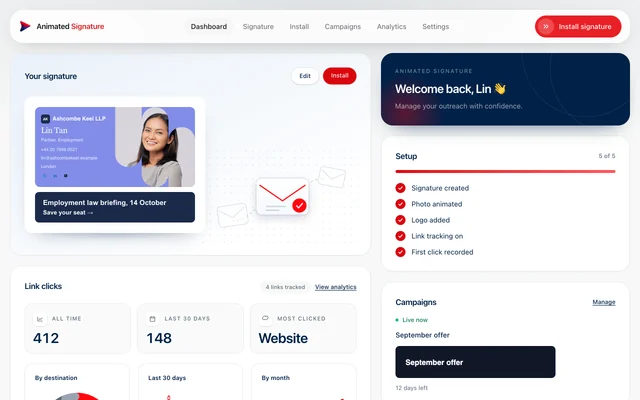
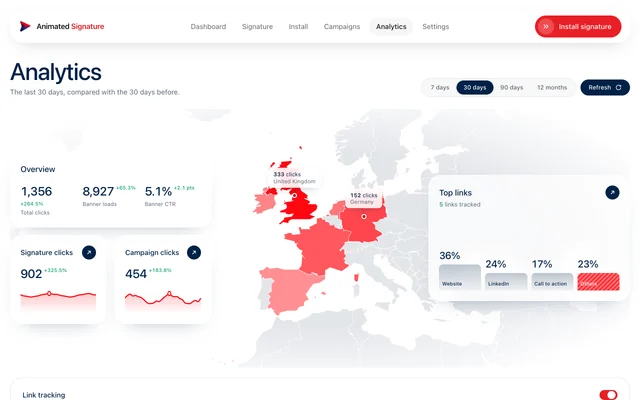
The builder: the list of designs, each drawn with Lin Tan's details, beside her signature in a Gmail preview.The dashboard: Lin Tan's signature with its banner, her setup checklist, her live campaign and the clicks her links have earned.The Analytics page: clicks, banner loads and click-through rate over the last 30 days, a map of the countries clicks came from, and the top links.
  • 12designs to choose from
  • 9ways your photo moves
  • 10social networks
  • 9kinds of campaign
  • 0open-tracking pixels

Make it yours.

A design, your photograph, and the colours and type both are set in.

Twelve designs. Every one already yours.

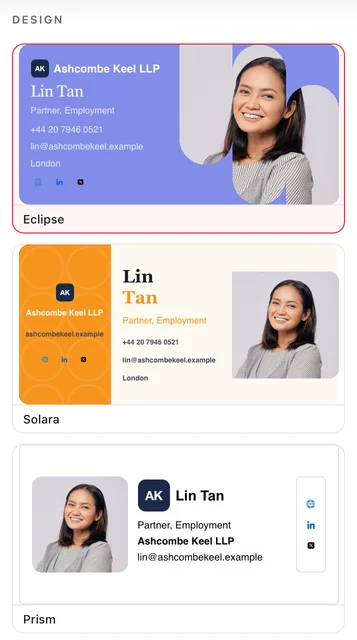
The builder draws each design with your own name, photo and logo, so you choose by looking. Switch, and your details come with you.

  • Seen, not imagined. Every design in the list is drawn for real.
  • Made for a phone. None is wider than 320 pixels.
  • Light and dark. Two colour sets on every design.
See every design
The builder's list of designs, each drawn with Lin Tan's name, photograph and company.
Your details, already in

Your photo, in motion.

Upload a photo and your own browser animates it in your design's motion. Nine motions, each drawn for the design that carries it.

  • Made from your original. Rendered straight from the file you upload.
  • Sharp on a phone. Drawn at twice the size it is shown.
  • No queue. It is made in the tab you upload it in.
See how it works
  • Pills
  • Wipe up
  • Honeycomb
  • Slant
  • Sheen
  • Stripes
  • Oval
  • Wipe across
  • Reveal

Your brand, to the letter.

Set your colours once and they run through the whole design. Any field the design opens up takes its own weight, size, italic and font.

  • Your palette, on every surface the design lets you colour.
  • Ten fonts your reader already has, so it arrives as you set it.
  • Long names fit. A line too long shrinks instead of being cut.
See how it works
Builder · Brand
Brand

Palette

Also in the panel

  • Every colour the design exposes, light and dark
  • Ten fonts readers already have
  • Weight, size and italic per field
  • Up to five social icons, from ten networks

Put it to work.

The part of a signature that asks the reader for something, and keeps asking.

One ask, under every email.

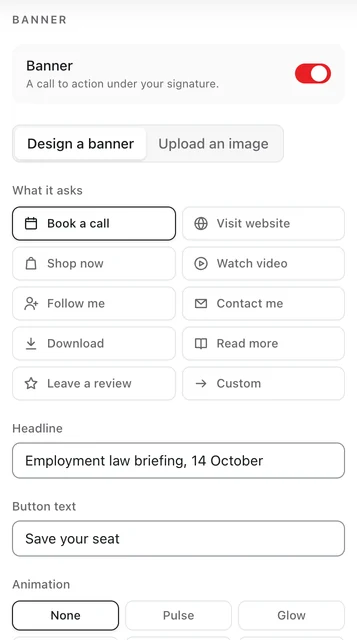
Design a banner from your own words and colours, or upload one. It sits under your card as real text and a real link, so it still reads with images off.

  • Ten kinds of ask: book a call, shop, watch, download and more.
  • Five animations, drawn in your browser like the photo.
  • Or your own image, framed to 320 by 80.
See how it works
The builder's Banner panel: what the banner asks for, its headline, its button text and its animation.
Real text, a real link

Next month's offer, already scheduled.

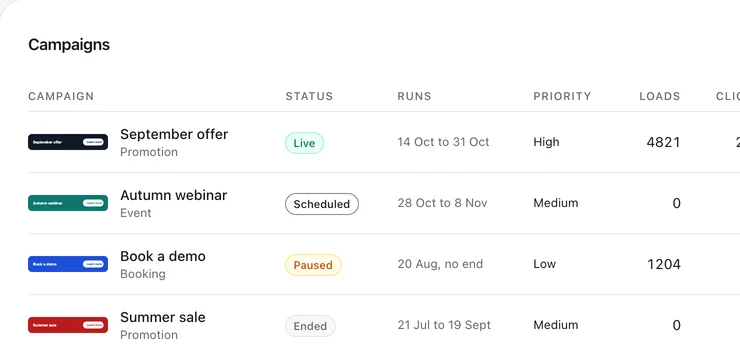
With campaigns on, your signature carries a slot, and what fills it is decided when the email is opened. Change a live campaign and nobody pastes anything again.

  • Nine campaign types, each with its own dates.
  • Priorities settle two campaigns that overlap.
  • Loads, clicks and click-through for each campaign.
See how it works
The campaigns list: four banners, one live, one scheduled, one paused and one ended, each with its dates and priority.
Sample data

Paste it once. It's in every email.

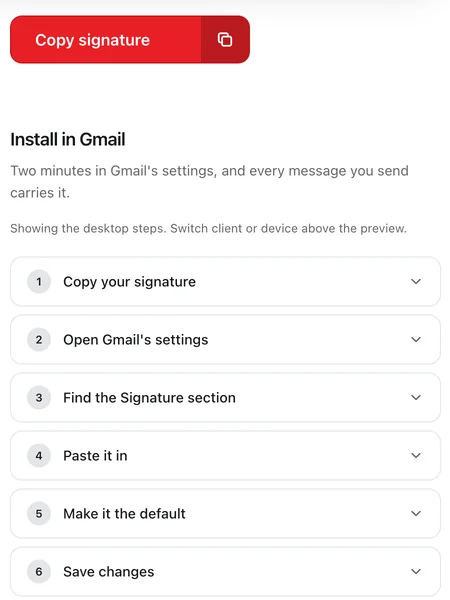
Copy your signature, then follow the steps for your own mail app: Gmail, Outlook, Apple Mail and more, on a computer or a phone.

  • Step by step for four kinds of mail app, desktop and phone each.
  • Nothing to install at your reader's end.
  • Phone guides, including which apps keep only plain text.
Read the install guides
The install page: a Copy signature button over the six steps for putting it into Gmail.
  • Gmail
  • Outlook
  • Apple Mail
  • Your phone

Your profile picture, moving too.

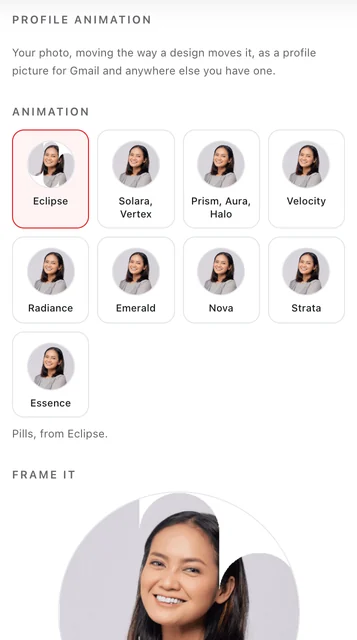
The motion your signature uses, run over your photo and cut to a circle. Drag to frame it, then download a 400 pixel GIF for Gmail and anywhere else you have one.

  • One for every motion the designs use.
  • Framed by you, with a drag and a zoom.
  • Beside your name in Gmail, where a profile picture shows.
See how it works
The builder's Profile animation panel: Lin Tan's photo in each design's motion, and the circle it is framed in.
400 × 400 px

Know what it did.

Measured, never guessed, and never an open pixel.

Every click, counted.

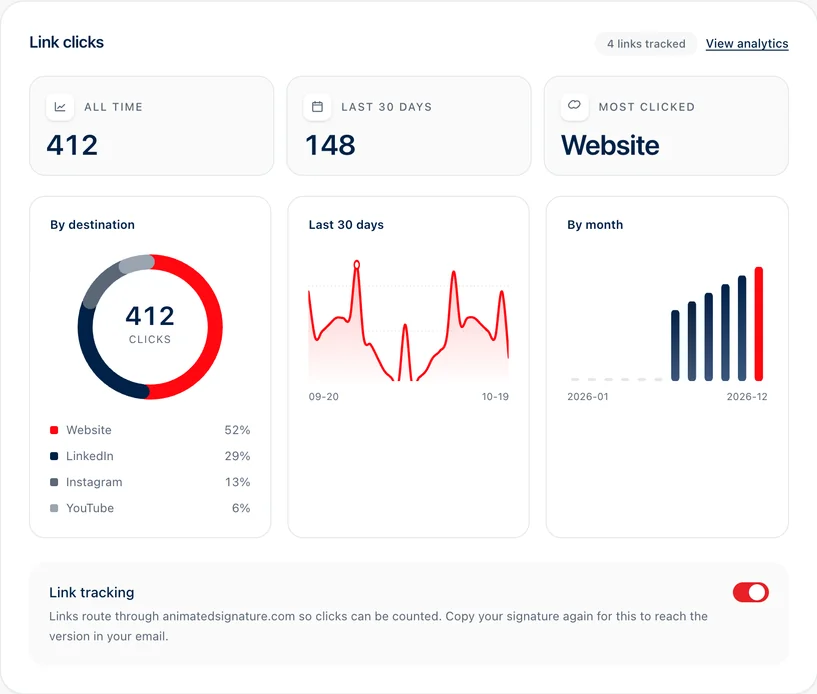
Your dashboard counts the clicks on your signature's links: all time, the last thirty days, month by month and link by link.

  • Clicks by link, so you see which one works.
  • No open pixel. Opens are never tracked.
  • Links keep their address for the life of the email they are in.
The dashboard's Link clicks card: 412 clicks all time, 148 in the last 30 days, the website clicked most, and charts by destination, by day and by month.
Sample data

See where clicks come from.

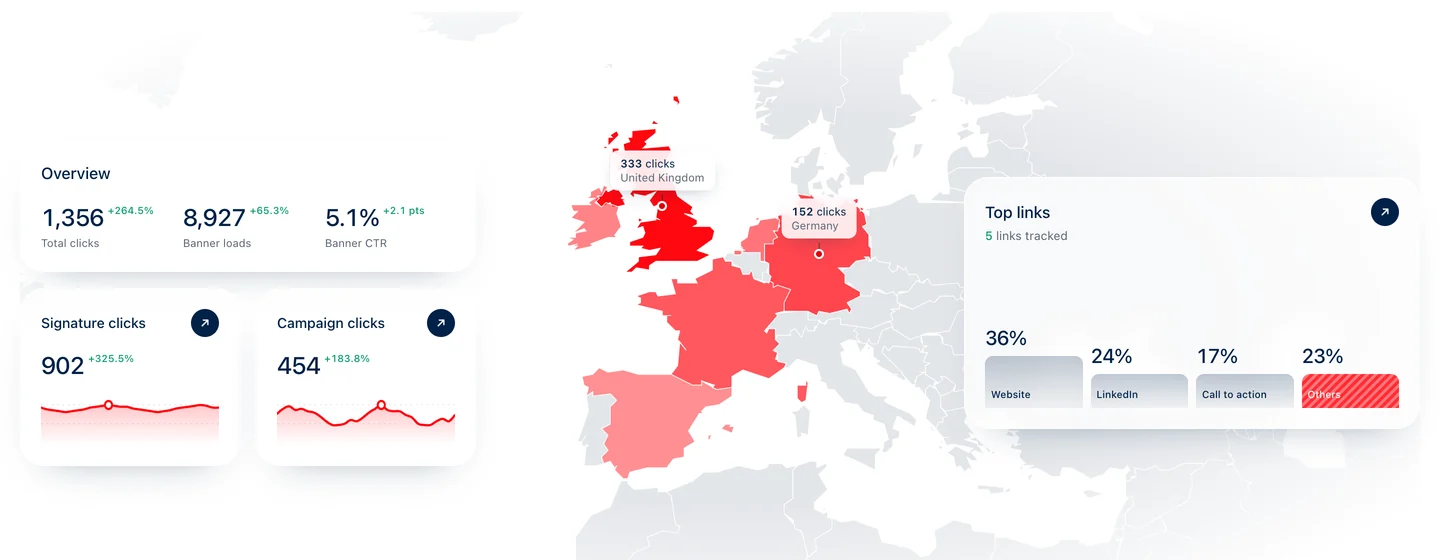
Analytics puts clicks and banner loads over the range you choose, with a map of the countries clicks came from and the hours they arrive, in your own time zone.

  • Country and device, kept as a daily count, never a person.
  • 7, 30 or 90 days, or a year, each against the span before it.
  • Banner loads beside clicks, with the difference explained.
See how it works
The analytics page: total clicks, banner loads and click-through rate, a map of the countries clicks came from, and the links clicked most.
Sample data

Make your next email the one that moves.

Pick a design, add your photo and paste it into the mail app you already use.

Free for a month. No card needed.